Change the wallpaper
The wallpaper is the image on your Desktop. To change the wallpaper, you can:
Right-click the Desktop
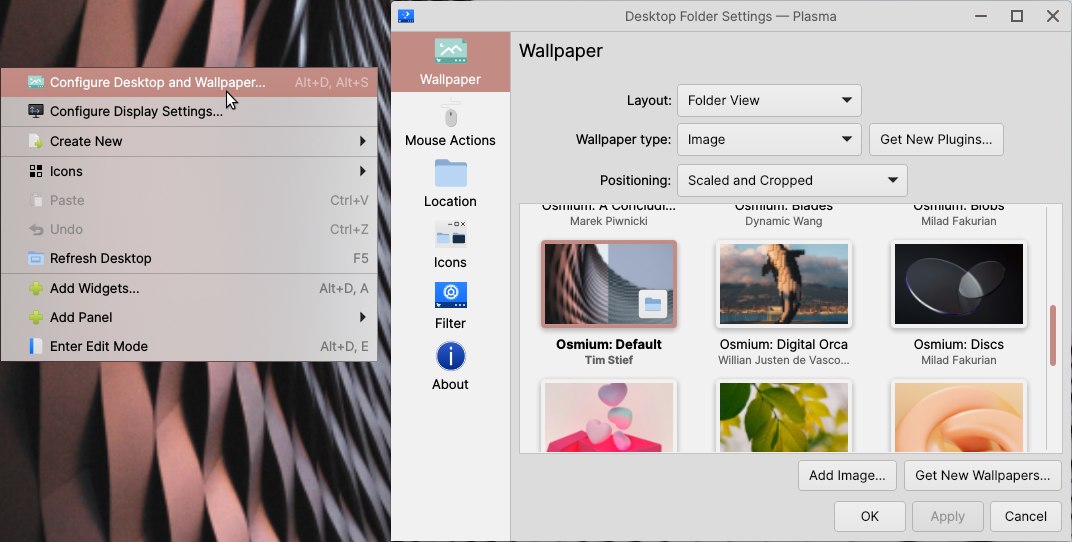
Right-click the Desktop, then select Configure Desktop and Wallpaper… to open the wallpaper selector.
Launch from System Settings
Open System Settings, then in Quick Settings click Change Wallpaper… to open the wallpaper selector.
Set an image as the wallpaper
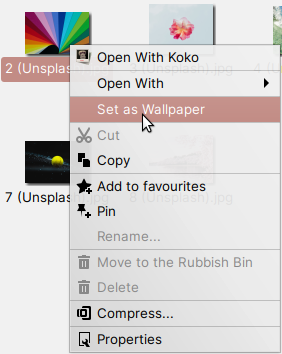
Finally, if you’re browsing images in Files, you can set the wallpaper directly from Files by right-clicking the image you want to use as your wallpaper and selecting Set as Wallpaper.